

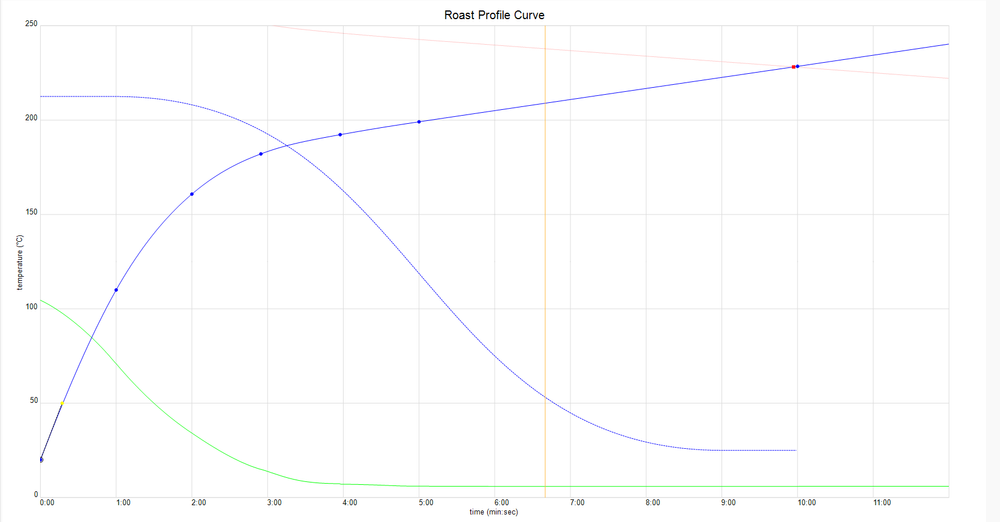
Profile List
-
KL Classic
Regular price ¥0 JPYRegular price


How to roast
This page explains the basic roasting method using the Kaffelogic Nano 7 in an easy-to-understand manner, even for beginners. The operation is very simple. First, try roasting once using the officially recommended method.

Before you start roasting

- Please install it in a place with good ventilation (near a window, under a ventilation fan, etc.).
- Please ensure there is sufficient space around and above the unit.
- Connect the power supply directly to the outlet without using an extension cord
STEP 1 | Weigh the green beans

For your first roast, we recommend 120g of green beans. If there are too many beans, they may not rotate properly and may cause errors.
STEP 2 | Add beans and set the chaff collector
Place the green beans in the roaster and securely place the chaff collector on top. Make sure the lid is properly attached.
STEP 3 | Turn on the power
Turn on the power using the switch at the bottom of the unit. For your first roast, we recommend Kaffelogic's standard " KL Classic ."
STEP 4 | Start roasting
▶ Press the button to start roasting. The roasting process is automatic, but for safety reasons, do not leave the roaster unattended during roasting.
During roasting
Kaffelogic automatically controls the temperature, time, and airflow, so all you need to do is keep an eye on it.
After roasting | Cooling and removing beans
Once roasting is complete, the machine will automatically cool down. Once it has cooled down completely, remove the chaff collector and remove the roasted beans. Check to make sure there are no beans left in the roasting chamber and shake gently if necessary.

Enjoy freshly roasted coffee
Freshly roasted beans contain a lot of gas, so if you plan to enjoy them as drip coffee or espresso, we recommend letting them rest for a day or two.
Take the next step
- Change the level to enjoy the difference in taste between light and dark roasts
- Try a different profile
- View roast logs in Kaffelogic Studio
There is no "right" way to roast coffee, so we encourage you to find the flavor that best suits your taste.
KL Natural

- Kaffelogic's standard profile -
KL Classic is the default (basic) roast profile that comes standard with Kaffelogic .
This is the profile that most honestly reflects Kaffelogic's roasting philosophy.
It is also used as a troubleshooting reference.
It's the starting point for everything, something you can return to when you're lost.
The concept of this profile
KL Classic is designed as a medium to dark roast that is easy to enjoy on an everyday basis.
- Easy to balance sweetness, richness and bitterness
- Less burnt or sharp edges for a consistent finish
- Supports a wide range of applications, from hand drip to milk-based coffee
"Make sure your daily coffee tastes delicious"
This is the standard roasting design for that purpose.
KL Classic for first timers
The KL Classic is perfect for those roasting with Kaffelogic for the first time.
It's a safe starting point.
- No need to worry about choosing a profile
- Easy to understand the roasting process
- Easy to understand the difference from other profiles
By starting with the KL Classic, you will naturally acquire the basic rhythm and philosophy of Kaffelogic roasting.
Positioning of KL Classic
KL Classic is
This profile is not a "finished product" but a "standard."
By using this profile as a reference,
- Differences in taste depending on the profile
- Roast design direction
- What should we change next?
becomes easier to understand.
summary
KL Classic is the origin of Kaffelogic roasting.
This is a standard profile that you can always return to when you are unsure or want to learn more.
KL Explorer

- Comparison and discovery profiles as the next step -
KL Explorer is one of the standard profiles in Kaffelogic .
Another starter profile tweaked based on the KL Classic.
If KL Classic is the "standard and origin,"
KL Explorer is your gateway to making a difference .
The concept of this profile
KL Explorer is
It is designed to make it easy to experience how changing the profile affects the roasting results.
- It's easy to compare the roasting process with KL Classic.
- You can roast while being aware of changes in flavor
- A great starting point for exploring new roast styles and flavors
This profile allows you to naturally understand that even if the same beans are used, the aroma, sweetness, and overall impression will change depending on the profile.
Profiles for learning and discovery
KL Explorer is
"Changing the roasting settings can really change the impression."
This is a profile for learning and experimentation that will give you insights into the following:
After getting a grasp of the roasting standards with KL Classic, the next step is to use KL Explorer, which will give you a more three-dimensional view of Kaffelogic's profile design philosophy.
Recommended for:
- Those who have become accustomed to roasting at KL Classic
- Those who want to learn about roasting while being aware of differences in taste
- Those who want to start searching for their favorite roasting style
KL Explorer's positioning
KL Explorer is
This profile is not for the purpose of providing answers , but rather for the purpose of understanding the differences .
The insights gained through this profile will lead to the next profile you choose and your own roasting style.
KL Washed

- A starting profile that brings out the unique characteristics of washed refinement -
KL Washed & Natural is a profile that comes standard with Kaffelogic and is compatible with both washed and natural beans .
While KL Classic and KL Explorer aim to set the standard for roasting and to help you discover the differences,
This profile is designed as an entry point to roasting that takes into account the bean refining method .
The concept of this profile
Washed and natural coffee beans differ in their condition and flavor.
KL Washed & Natural takes these differences into account, but is designed to be balanced so that it is easy to use with either refining method .
- Both clean and sweet
- Stable progress without excessive burn-in
- The difference in the refining method is easily noticeable in the finished product.
Recommended for these uses
- I want to compare the difference between washed and natural
- A great starting point for trying new beans
- When you want to discern the unique characteristics of beans
By using this profile, you will naturally gain a perspective on how to incorporate differences in beans into roasting .
KL Washed & Natural's Positioning
This profile is not designed to help you decide on one or the other, but to help you understand the beans. Even if you use the same profile, the aroma, sweetness, and impression will change between washed and natural. Understanding these differences will help you choose your next profile and create your own roasting design.
summary
KL Washed & Natural is a profile that incorporates the perspective of refining methods into roasting.
This is an important step to gain a deeper understanding of Kaffelogic roasting.
RTD Profile

- Profile for enjoying immediately after roasting -


RTD (Ready To Drink) is a profile that comes standard with Kaffelogic and is designed for consumption shortly after roasting .
It is designed with the realistic scenario in mind, where you want to enjoy your coffee as soon as possible from the day it is roasted.
The concept of this profile
Generally, roasted beans are often left to rest (degass) for a few days before drinking.
RTD aims to minimize that wait time .
- The flavor profile is easy to grasp even immediately after roasting.
- Balanced for easy drinking from an early stage
- Designed to prevent excessive gas sensation
This is a profile that makes it possible to "grill it and drink it."
Expected drinking time
RTD coffee is best brewed 1 to 3 days after roasting .
- I want to try freshly roasted coffee
- I want to serve it immediately at events or for guests
- When you run out of beans
This is a profile that can be used easily in situations such as the following.
Recommended for:
- Those who want to drink coffee immediately after roasting
- Those who want to proceed with test roasting at a good pace
- Those who value practicality for everyday use
RTD positioning
RTDs are
This is not a profile for "waiting for the perfect drink," but a profile for "enjoying this drink now ."
By focusing on the speed and practicality of roasting, Kaffelogic makes roasting more accessible and easier to continue.
summary
RTD is a practical profile that connects roasting with everyday life.
By making your desire to "drink it now" come true, you can enjoy roasting more freely and casually.
Rest Profile

- A profile that is rested and perfected -
CUPPING
- Profiles for evaluating and understanding beans -

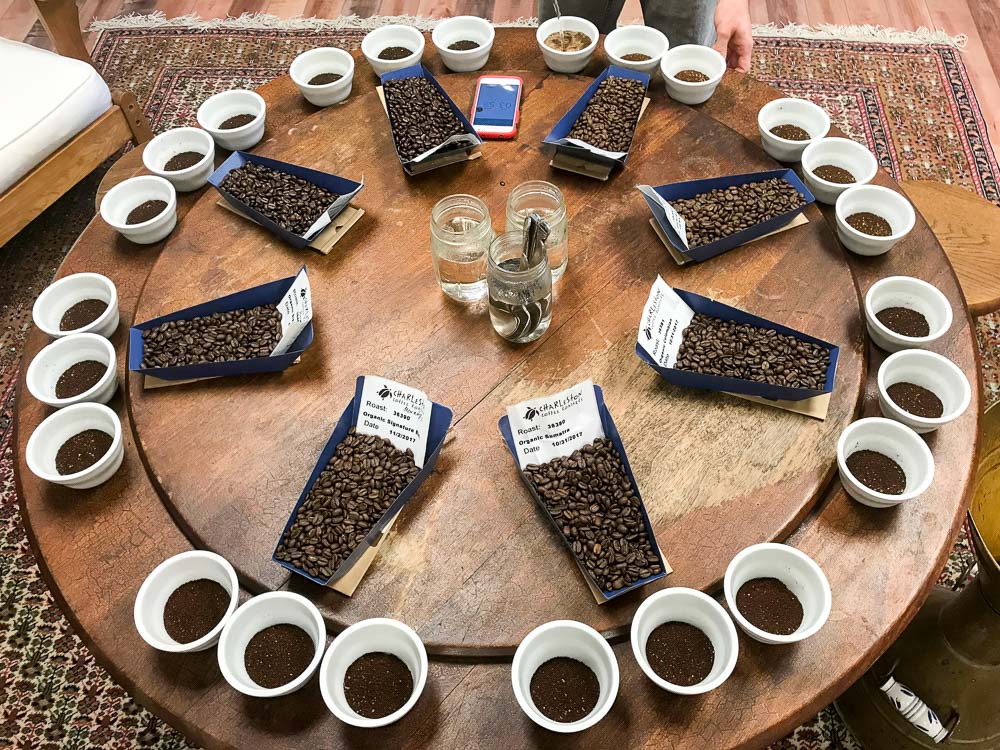
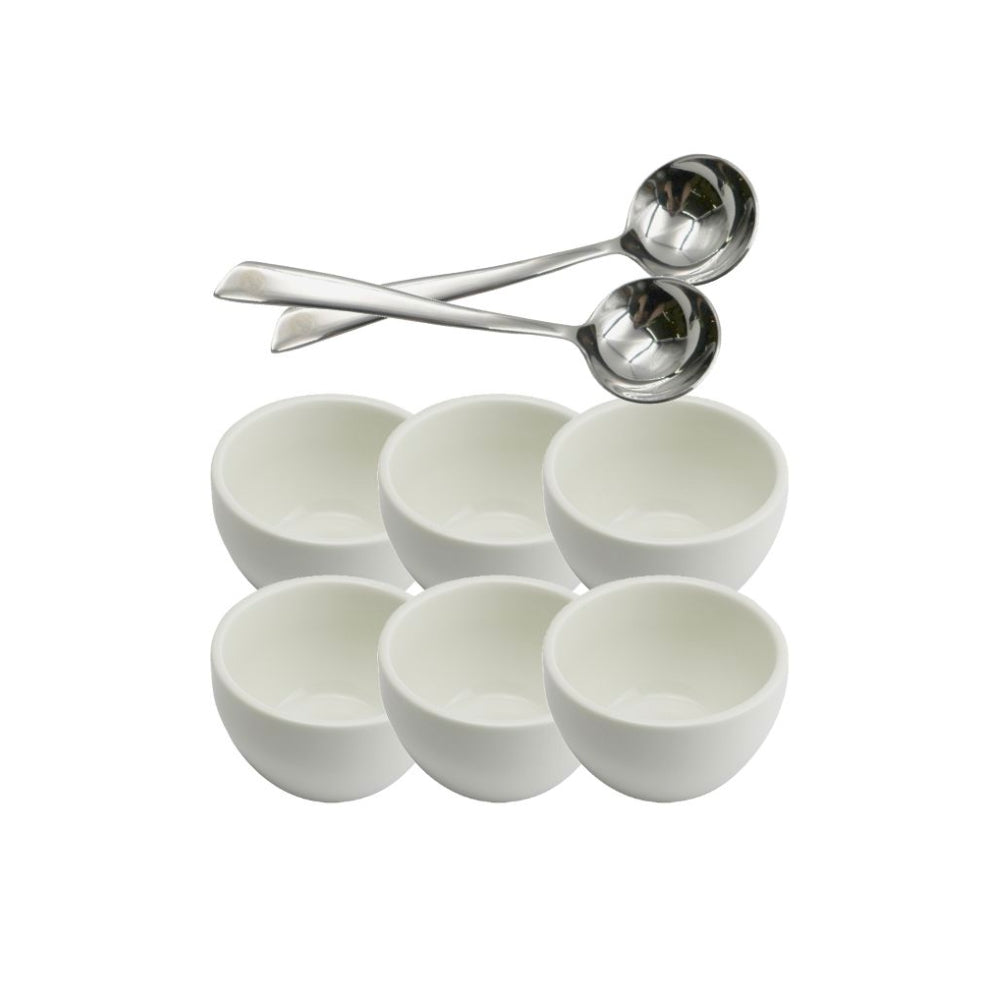
CUPPING is a standard feature of Kaffelogic .
This is a roasting profile for the purpose of evaluating and verifying coffee beans .
While RTD and REST profiles focus on "when to drink," CUPPING is designed to let you know "what kind of beans these are."
The concept of this profile
The CUPPING profile is designed to express the character and characteristics of the beans as directly as possible.
- It is easy to understand trends in production areas and varieties
- It's easy to see the flaws and negative aspects
- It is easy to create standards to determine the direction of roasting.
Before creating a flavor, we first need to understand the beans. This is the profile for that purpose.
Expected usage
CUPPING is
After roasting, it is crushed and
It is based on cupping , which involves pouring hot water over the body.
- When evaluating new green beans
- Early roast testing
- When you want to create criteria for profile selection
It is useful in situations such as the following.
Recommended for:
- Those who want to fully understand the individuality of beans
- Those who want to roast coffee not just by feeling, but also by having a basis for judgment.
- Those who want to use this to design their next roast.
CUPPING's positioning
CUPPING is
This profile is not "to make it taste good" but "to make it taste good."
The insights gained from this profile will form the basis for your next profile and roast design.
summary
CUPPING is a profile that creates a starting point for roasting.
By getting the beans right, Kaffelogic roasts become more intentional and repeatable.
Decaf
- Dedicated profile tailored to the characteristics of decaffeinated beans -

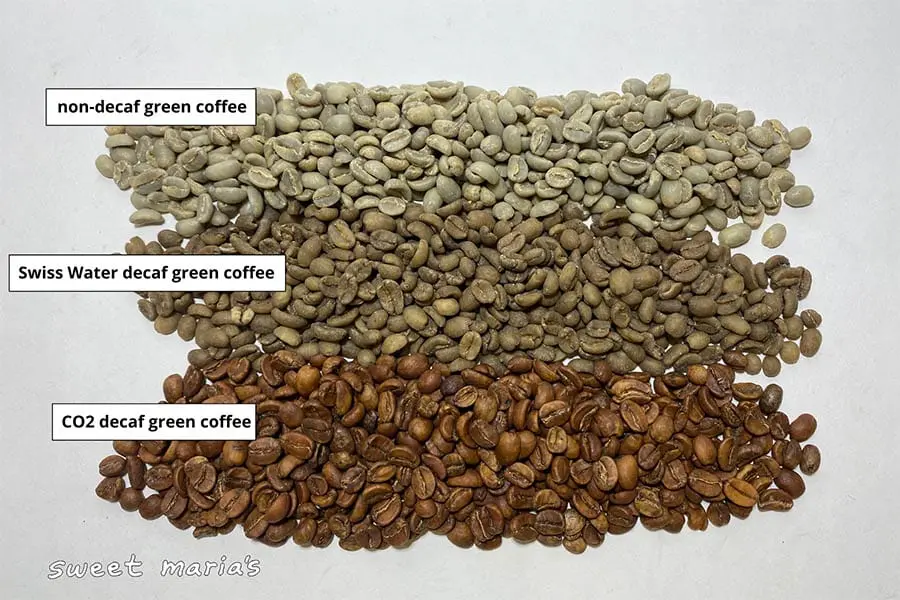

DECAF is a roasting profile designed specifically for decaffeinated beans and comes standard with Kaffelogic .
Decaffeinated beans have undergone a process to remove the caffeine, so their moisture content, texture, and reaction during roasting are different from regular green beans.
The DECAF profile is designed with these characteristics in mind, aiming for a stable roast and robust flavor expression .
The concept of this profile
If you use a general profile,
With decaf beans
- It gets overcooked
- The flavor becomes flat
- It's hard to get close to the desired taste
Things like this are more likely to happen.
DECAF aims to achieve just the right amount of roasting , taking into account the quick reaction and heat transfer that are unique to decaffeinated coffee.
- Easy to prevent burning
- It's easy to sense the sweetness and richness
- Even with decaf, it's hard to feel unsatisfied
Expected usage
- I want to enjoy coffee even at night
- Situations where you want to avoid caffeine
- Even with decaf, I don't want to compromise on taste.
This is a profile that can be used with confidence for the following purposes:
Recommended for:
- Those who want to roast decaffeinated beans consistently
- Those who want to prioritize flavor even with decaf
- Those who want to reduce mistakes with a dedicated profile
DECAF's position
DECAF is a profile created based on the idea that "special beans require special design."
This is an option that allows us to properly approach decaf coffee as a type of coffee, rather than treating it as an exception.
summary
DECAF is the standard for deliciously roasting decaffeinated beans.
With Kaffelogic, you can achieve a satisfying cup of coffee without the caffeine.
Robusta
ROBUSTA
- Dedicated profile tailored to the characteristics of Robusta -
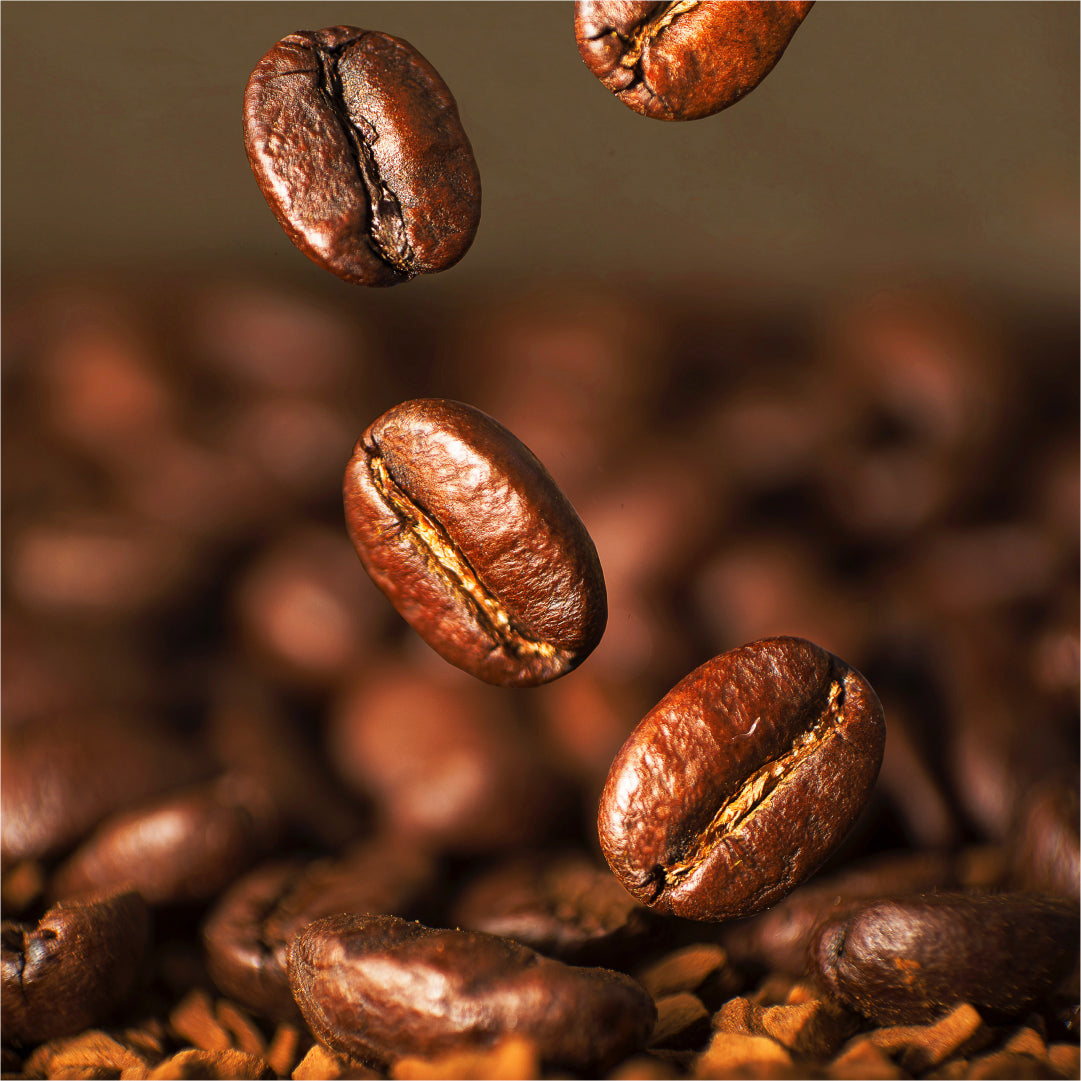


ROBUSTA is a dedicated profile that comes standard with Kaffelogic and is designed to roast Robusta (Coffea canephora) beans .
Robusta beans differ greatly from Arabica in terms of their chemical composition, bean hardness, and reaction during roasting , making them difficult to achieve the desired flavor with the same profile.
The ROBUSTA profile is designed based on these unique characteristics of Robusta, aiming to achieve a consistent roast and create a flavor that suits the intended use .
The concept of this profile
Robusta is generally
- Bitterness is likely to occur
- Strong body
- Mild acidity
It has the following characteristics:
The ROBUSTA profile does not suppress these characteristics, but rather aims to create a balanced progression that makes the most of Robusta's unique characteristics .
- It is less likely to be heavy or bitter.
- Easy to express the body feeling beautifully
- Suitable for espresso use
Expected usage
- I want to roast Robusta beans by themselves.
- Use it as a base for blending
- I want to emphasize crema and body.
This is a profile that can be used with confidence in situations such as the following.
Recommended for:
- Those who want to roast Robusta beans correctly
- Those who want to learn roasting methods that are different from Arabica
- Those who want to broaden the scope of blend design
ROBUSTA's positioning
ROBUSTA is a profile that helps you "understand Robusta as Robusta."
By taking a step away from Arabica standard roasting and adapting the design to suit different bean types, roasting options are further expanded.
summary
ROBUSTA is the standard for bringing out the potential of Robusta beans.
With Kaffelogic, Robusta can also be roasted with purpose.
Super Dark
- A profile for clearly aiming for a dark roast -


SUPER DARK is a standard feature of Kaffelogic .
This roast profile is designed with a clear goal of producing a dark roast .
If KL Classic is the standard that emphasizes everyday balance, SUPER DARK is the choice for those seeking a distinct, dark roast expression .
The concept of this profile
SUPER DARK is not just a "long burn" profile.
- The bitterness and smokiness characteristic of dark roasts
- Strong body feel
- Progression that suppresses unnecessary roughness and burnt feeling
It is designed with this in mind, aiming for a flavor that stands out as a dark roast .
Expected taste
- Moderate acidity
- Rich and heavy mouthfeel
- Bitter and clearly deep roasted flavor
It also goes well with milk,
It is also suitable for espresso, cafe au lait, and milk-based drinks .
Recommended for:
- Those who like dark roasts
- Those who don't like sour tastes
- Those who value bitterness, richness, and weight
SUPER DARK's positioning
SUPER DARK is a profile that clearly indicates your intention to choose a dark roast .
It is specially designed to pursue the perfection of dark roasts, with evaluation criteria different from those for light and medium roasts.
summary
SUPER DARK is a profile designed to "target" a dark roast .
With Kaffelogic, you can intentionally choose a dark roast to suit your preferences and purposes.
Usage notes
IntroductionPlease read this before use to ensure safe and long-lasting use of this product.This manual summarizes important precautions to ensure the safety of you and your family and to maximize the product's performance.Please understand the contents carefully and use the product correctly.
- Read all safety instructions before use.
- This product is for indoor use only. Place the roaster in a well-ventilated area (with an open window, near a range hood or extractor fan, etc.).
- Place the roaster on a hard, flat surface, free from dust and debris, with ample space above the chaff collector.
- Do not put more coffee beans than recommended into the roaster as this may cause the beans to stop turning and may result in a fire.
- This product is designed to roast only green coffee beans. Attempting to roast other items (such as popcorn or nuts) may cause the safety features to malfunction, resulting in a fire or damage to the product.
- When using on an induction cooktop, make sure the product's legs are at least 20 mm higher than the surface of the induction cooktop by using a cutting board or thick mat, etc. This will prevent the induction cooktop from detecting the product as a pot.
- This product should only be used in a well-ventilated area (preferably near an extractor fan), at least 100mm horizontally from walls and 150mm horizontally from curtains.
- Make sure the air intake (bottom) or exhaust (top) vents are not blocked while using the appliance. Slower airflow will cause faster heating. If the safety device is activated during roasting, your coffee beans will be ruined. Also, completely blocking the airflow could damage the appliance or cause a fire.
- Keep the area around this appliance free from loose chaff and other floating debris that may be sucked into the roaster during use.
- Do not leave the product unattended while in use. This product is not intended to be operated by an external timer or a separate remote control system.
- Smoke detectors may be activated during normal use. If you need to temporarily disable your smoke detectors while using the coffee roaster, be sure to follow the smoke detector manufacturer's instructions. Do not use this product in commercial buildings where smoke detectors could activate sprinklers, cause the building to be evacuated, or require the fire department to be called.
- Please wait until the roast cycle has finished cooling down before removing the chaff collector.
- Do not submerge the base unit in water. Wipe it with a damp cloth if necessary. Water will damage the electronics. See the Care section for cleaning instructions.
- If liquid gets into the roasting chamber or any other part of the appliance, unplug it and leave it in a warm place for 24 hours to dry completely before using it again.
- In case of malfunction, the power cord should be replaced by a qualified technician. Do not open the case to avoid risk of electric shock.
- If the same error message keeps appearing on your display, contact your distributor or visit kaffelogic.com/help .
- If any foreign matter (rice, flour, liquid, etc.) gets into the roasting chamber, have a service technician disassemble and clean the appliance before using it again.
- We recommend connecting the roaster directly to a power outlet without using an extension cord.
Warranty and repairs
Warranty Policy
Kaffelogic products are covered by a 2-year manufacturer's warranty from the date of purchase.
If a malfunction occurs within the warranty period and occurs within the scope of normal use in accordance with the instruction manual and safety guidelines, we will repair it free of charge.
Manufacturer's warranty
What is covered by the warranty?
Your warranty is valid if all of the following conditions are met:
- The product is used correctly in accordance with the instruction manual and safety guidelines.
- Must be within 2 years of purchase date
- The product must have been purchased from an authorized retailer in Japan (Kaffelogic Japan / MGL / authorized retailer).
If the above conditions are met, Kaffelogic will confirm the nature of the malfunction and carry out a free repair .
Cases not covered by the warranty
Please note that any malfunctions or damage that occur in the following circumstances are not covered by the warranty.
1. Caused by improper use or handling
- Operations and settings that contradict the instructions
- Prohibited disassembly, modification, and use of non-genuine parts
- Improper maintenance and incorrect cleaning methods
2. Damage or malfunction caused by external factors
- Physical damage caused by dropping, impact, crushing, etc.
- Water, moisture, and liquid intrusion
- Use with a different voltage or in an inappropriate power supply environment
- Failure caused by repeated strong vibrations or shocks
3. Problems caused by the usage and storage environment
- Storage in high temperatures, high humidity, or direct sunlight
- Use in dusty, oily or corrosive environments
- Internal damage due to improper storage
4. Consumable parts and deterioration over time
- Consumable parts that deteriorate with use, such as filters and seals
- Natural wear, fading and aging of materials
Repair procedure
-
Please contact us by email to let us know the details of the malfunction.
We may ask you to provide details of the symptoms, the circumstances under which they occurred, and, if necessary, roasting logs, photos, and videos. -
We will let you know if the warranty applies.
Our technical support team (Kaffelogic Support / MGL Support) will perform a diagnosis. -
We will send you product shipping instructions.
Please send the product to the address provided. - Inspection and repairs will be carried out at Kaffelogic (Japan Service Center).
- Once the repair is complete, we will return the product to you.
*If the problem is not covered by the warranty, we will provide you with information on paid repairs .
*Shipping costs may vary depending on the warranty content and circumstances.
Information required for warranty claim
- Proof of purchase date (order email, receipt, invoice, etc.)
- Product serial number
- Details of the malfunction (symptoms, frequency of occurrence, circumstances under which it occurred, etc.)
- Roast logs and error messages (if needed)
- Photos and videos of the product itself and the malfunctioning part (if possible)
Regarding replacement
We may offer a product replacement instead of repair in the following cases:
- If repair is deemed technically impossible or impractical
- If a serious defect related to product safety is confirmed
If a replacement is required, we will provide a suitable replacement unit after obtaining approval from Kaffelogic's headquarters in New Zealand.
Support Desk
Kaffelogic Japan Customer Support Email: info@kaffelogicjp.com
Warranty Policy (English)
All Kaffelogic products purchased through authorized distributors in Japan come with a 2-year manufacturer warranty from the date of purchase.
If a malfunction occurs within the warranty period under normal use and in accordance with the User Manual and safety guidelines, we will provide free repair service.
Warranty Coverage
Your product is covered under warranty if all of the following conditions are met:
- The product has been used in accordance with the User Manual and safety guidelines
- The purchase date is within 2 years
- The product was purchased through an authorized Kaffelogic distributor in Japan
If the above conditions are satisfied, Kaffelogic will inspect and repair the product free of charge after confirming the fault.
Cases Not Covered by Warranty
The following cases are not covered by the warranty:
1. Improper Use or Handling
- Using the product in ways not described in the User Manual
- Unauthorized modification, disassembly, or use of non-genuine parts
- Incorrect cleaning or maintenance procedures
2. Damage Caused by External Factors
- Dropping the product or physical impact
- Water exposure, moisture, or liquid intrusion
- Using the product with an incorrect voltage or inappropriate power supply
- Repeated strong vibration or shock to the product
3. Environmental or Storage-Related Damage
- Damage caused by high temperatures, humidity, or direct sunlight
- Damage due to dust, oil, corrosion, or improper storage conditions
4. Consumables and Natural Wear
- Wear and tear of consumable parts such as filters or seals
- Natural aging such as discoloration or material fatigue over time
Repair Process
-
Contact us with details of the issue.
Please include the symptoms, how and when the issue occurs, and, where possible, error logs, photos, or videos. - We will assess the situation and advise whether the repair is covered under warranty.
- Send your product to the designated service address.
- Kaffelogic (Japan service center) will inspect and repair the unit.
- The repaired product will be returned to you.
If the repair is not covered by warranty, a service fee may apply. Shipping cost responsibility may vary depending on the case and warranty status.
Information Required for Warranty Service
- Proof of purchase showing the date of purchase
- Product serial number
- Detailed description of the issue (symptoms, frequency, conditions of occurrence)
- Relevant roast logs or error messages where applicable
- Photos or videos of the product and the issue, if possible
Replacement Policy
In some cases, we may provide a replacement unit instead of repair, for example:
- When repair is technically impossible or not practical
- When a serious defect that may affect safety is identified
Any replacement must be approved by Kaffelogic HQ (New Zealand) and will be arranged in coordination with Kaffelogic Japan.
Contact
Kaffelogic Japan Customer Support
Email: info@kaffelogicjp.com
How to roast
This page explains the basic roasting method using the Kaffelogic Nano 7 in an easy-to-understand manner, even for beginners. The operation is very simple. First, try roasting once using the officially recommended method.
Before you start roasting
- Please install it in a place with good ventilation (near a window, under a ventilation fan, etc.).
- Please ensure there is sufficient space around and above the unit.
- Connect the power supply directly to the outlet without using an extension cord
STEP 1 | Weigh the green beans
For your first roast, we recommend 120g of green beans. If there are too many beans, they may not rotate properly and may cause errors.
STEP 2 | Add beans and set the chaff collector
Place the green beans in the roaster and securely place the chaff collector on top. Make sure the lid is properly attached.
STEP 3 | Turn on the power
Turn on the power using the switch at the bottom of the unit. For your first roast, we recommend Kaffelogic's standard " KL Classic ."
STEP 4 | Start roasting
▶ Press the button to start roasting. The roasting process is automatic, but for safety reasons, do not leave the roaster unattended during roasting.
During roasting
Kaffelogic automatically controls the temperature, time, and airflow, so all you need to do is keep an eye on it.
After roasting | Cooling and removing beans
Once roasting is complete, the machine will automatically cool down. Once it has cooled down completely, remove the chaff collector and remove the roasted beans. Check to make sure there are no beans left in the roasting chamber and shake gently if necessary.
Enjoy freshly roasted coffee
Freshly roasted beans contain a lot of gas, so if you plan to enjoy them as drip coffee or espresso, we recommend letting them rest for a day or two.
Take the next step
- Change the level to enjoy the difference in taste between light and dark roasts
- Try a different profile
- View roast logs in Kaffelogic Studio
There is no "right" way to roast coffee, so we encourage you to find the flavor that best suits your taste.
level
Coming Soon
Care
Coming Soon